
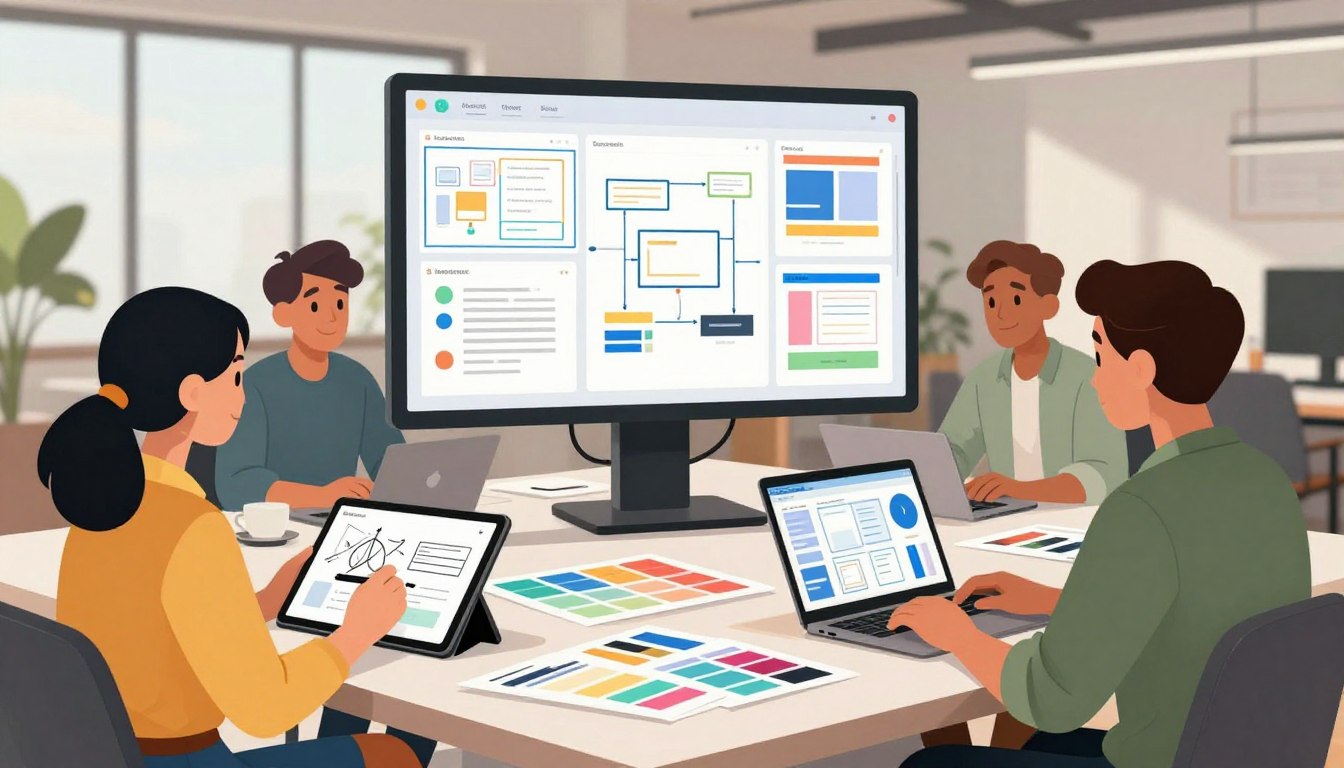
In today’s digital world, your website or app is key to connecting with your audience. Just having a working product isn’t enough to stand out. You need an experience that feels natural, useful, and genuinely rewarding for everyone who visits.
Choosing professional ui ux design services is a smart move. It helps your business goals meet your users’ needs. By focusing on more than looks, you create a smooth journey that keeps users coming back. This is how you build lasting customer engagement and loyalty.
Good digital design needs deep research, accessibility, and constant prototyping. These steps help remove obstacles and keep your platform easy to use. In this article, we’ll dive into how to improve your digital presence and find the right partners to boost your brand.
Key Takeaways
- Prioritize user needs to create intuitive digital experiences.
- Balance visual appeal with functional, goal-oriented strategies.
- Use research and prototyping to minimize user friction.
- Ensure accessibility to reach a wider, more diverse audience.
- Select partners who understand your specific business objectives.
Why Engagement Depends on Better User Experience
When visitors first see your site, their first few seconds decide if they stay or leave. Your user experience design is like a silent ambassador for your brand. It shapes what people think before they even read a word. If your site feels cluttered or broken, people might look elsewhere.
How confusing interfaces drive visitors away
A confusing layout is like a maze that leads nowhere. When users can’t find what they need, they get frustrated and lose interest. Adobe’s research shows that 38% of people will stop engaging with a website if it looks bad.
Users expect your site to be fast and clear. If it’s not, you’re pushing them to your competitors. A clean, logical interface keeps them focused on what you offer.
Why usability, visual appeal, and trust work together
Trust is key for a good digital experience. A professional-looking site makes users feel safe. Forrester research says a good user experience design can boost conversion rates by 200% to 400%.
By mixing beauty with function, you create a space where users feel confident. A UI UX design agency helps you achieve this balance. This mix of beauty and utility builds trust and turns browsers into loyal customers.
How thoughtful design supports customer relationships
Good design goes beyond the first click; it builds loyalty. Anticipating user needs shows you value their time. Working with a skilled UI UX design agency lets you create journeys that feel personal and easy to follow.
The table below shows how design improvements affect your business:
| Design Focus | User Impact | Business Result |
|---|---|---|
| Clear Navigation | Reduced frustration | Higher retention |
| Visual Hierarchy | Faster decision making | Increased conversions |
| Responsive Layouts | Better accessibility | Broader market reach |
| Trust Signals | Increased confidence | Lower bounce rates |
What Professional UI UX Design Services Include
A good design plan helps your product go from idea to final product. Professional services offer a clear plan. This plan makes sure every choice helps your users and meets your business goals.
User experience research and audience discovery
The start of a project is all about UX research. Designers use empathy mapping and look at competitors to understand your users. This step makes sure your product really solves problems for your audience.
Information architecture and interaction design
After understanding your users, the team organizes content. They use wireframes and user flows to show how users will move through your site. This interaction design phase is key. It makes sure your site is easy to use.
User interface design and visual systems
Visual design makes your site look good and stay consistent. Designers create scalable visual systems for your brand. This makes your site look professional and easy to use for everyone.
Prototyping, testing, and design handoff
Before coding starts, teams make interactive prototypes. These tests help find problems early and save time. The final step is giving detailed plans to developers. This helps them build your vision accurately.
| Phase | Primary Goal | Key Deliverable |
|---|---|---|
| Discovery | Understand user needs | Research Report |
| Structure | Define navigation | Wireframes |
| Visuals | Apply brand identity | Design System |
| Validation | Test usability | Interactive Prototype |
How UI UX Design Services Turn Visits Into Engagement
Great design does more than look good; it guides users toward their goals. By focusing on conversion rate optimization, you ensure visitors find what they need easily. This avoids distractions.
Creating clear paths to important actions
Your website should guide users like a map. Designing clear paths makes it easy for users to sign up or make a purchase. Intentional placement of buttons and links makes the next step clear.
Reducing friction across the customer journey
Friction happens when users face confusing labels or complex forms. Simplifying your interface removes these barriers. A smooth journey keeps users focused and efficient.
Using feedback and behavior insights to improve experiences
You must listen to your users to understand their interactions. Analyzing engagement metrics shows where users struggle and thrive. This data helps refine your design for better results.
Engagement signals worth tracking
Tracking the right data points is key to measuring success. Monitor bounce rates, time on task, and conversion performance. These metrics show user satisfaction and design effectiveness.
How qualitative and quantitative data complement each other
Analytics show what users do, while interviews explain why. Combining these views gives a full picture of the user experience. This balance is crucial for making informed design decisions.
| Metric Type | What It Measures | Business Impact |
|---|---|---|
| Quantitative | Click-through rates | Identifies high-performing paths |
| Qualitative | User interview feedback | Explains user pain points |
| Behavioral | Task completion time | Highlights interface efficiency |
Research Your Users Before Designing the Experience
Before you start designing, you need to know who will use your product. Audience research is key to a successful digital interface. It helps you design for your customers, not just yourself.
Defining user segments and priority audiences
You can’t design for everyone at once. Start by finding the main groups of users. Segmenting lets you make features that fit each group’s needs, like for power users or casual visitors.
Conducting interviews, surveys, and usability research
Talking directly to users gives you the best insights. Interviews reveal hidden issues and desires that surveys might not catch. Mixing these methods gives you both stories and numbers to guide your design.
Mapping user journeys, pain points, and motivations
Good user journey mapping shows the whole experience, from start to finish. It shows where users get stuck or confused. By finding these points, you can design solutions to keep users moving.
Turning research findings into practical design decisions
Research is only useful if it shapes your final product. Use it to set clear design goals and priorities. This way, every design choice supports a business goal or user need.
| Research Method | Primary Goal | Best For |
|---|---|---|
| User Interviews | Deep empathy | Understanding motivations |
| Surveys | Broad trends | Validating assumptions |
| Usability Testing | Performance | Identifying friction |
| Competitive Analysis | Market context | Benchmarking features |
Build an Intuitive Information Architecture
A well-planned layout is like a roadmap. It guides users through complex tasks easily. By focusing on information architecture, you make sure each piece of content has a purpose. This helps avoid confusion and keeps users focused on their goals.
Organizing content around user goals
Design starts with mapping your site to user tasks. Organize pages based on user intent, not your company’s structure. This way, visitors find what they need quickly, improving their satisfaction.
Designing navigation that feels predictable
Good navigation design is familiar and consistent. Users should know where links lead and how to return home. Use standard patterns and clear labels to build trust with each click.
Creating effective search, filters, and content labels
As your site grows, search and filters become key. A good search function handles typos and offers relevant suggestions. Clear categories and labels help users make choices without feeling overwhelmed.
When to simplify menus and reduce decision overload
Sometimes, fewer options are better. Too many choices can cause decision overload and lead to leaving the site. Simplify your navigation when:
- Your primary menu has more than seven items.
- Users often click the wrong category.
- Analytics show high bounce rates on complex pages.
How consistent page structures improve discoverability
Consistency is key to a good digital experience. When every page looks the same, users learn your site fast. This saves time and effort, letting them focus on your content. This boosts discoverability and engagement.
Create Interfaces That Feel Clear, Polished, and Trustworthy
Your interface is like a digital handshake with your customers. When they visit your site, they make an instant judgment based on how your content looks. Clarity and polish are key to building trust.
Choosing typography, color, spacing, and imagery with purpose
Every element on your screen has a purpose. Good typography makes your message clear. A well-chosen color palette can evoke the right feelings. Strategic spacing keeps your content organized and easy to read.
Quality images should enhance your story, not get in the way. By picking images that match your brand, you create a professional and cohesive experience.
Establishing a scalable design system
A design system is your team’s guide. It offers a set of reusable components and rules for a consistent look. A standardized design system saves time and ensures a smooth user experience.
“Design is not just what it looks like and feels like. Design is how it works.”
Using visual hierarchy to focus attention
Effective visual hierarchy guides the user’s eye. By using size, color, and space, you lead visitors through your content. A strong visual hierarchy makes your main call-to-action stand out without being too pushy.
Designing accessible color contrast and readable text
Accessibility is essential, not optional. Your text must contrast well with the background for all users. Clear typography and high-contrast colors show you value every visitor.
Maintaining consistency across screens and devices
Consistency builds trust. When your design is the same on all devices, users feel in control. This makes exploring your site easier and less stressful.
| Design Element | Purpose | Impact on Trust |
|---|---|---|
| Typography | Readability | High |
| Color Palette | Brand Identity | Medium |
| Negative Space | Focus | High |
| Component Library | Consistency | Very High |
Design Responsive Experiences for Every Screen
Responsive web design makes sure your brand is easy to use on any screen size. It creates a layout that changes to fit smartphones, tablets, and desktops. This way, everyone gets a great experience.
Adapting layouts for mobile, tablet, and desktop users
Your content should look good on any device. Instead of making different sites, use a flexible grid. This lets things move and change as needed, keeping your message clear.
Improving touch interactions and mobile navigation
Mobile UX design means thinking differently about how users interact. Make sure buttons and links are big enough to tap easily. A simple navigation menu helps users find what they need fast.
Supporting fast-loading, performance-conscious interfaces
Speed is key to keeping users. If your site takes more than three seconds to load, 53% of mobile users will leave. Optimize images, cut down code, and use caching to make your site fast.
Preventing responsive design issues before launch
Testing is the only way to ensure a smooth experience. Use device labs or emulators to check for problems. Finding issues early saves time and keeps your reputation strong.
Balancing brand expression with usability on smaller screens
It’s tempting to add everything to a mobile screen. But mobile UX design is best when you focus on the basics. Keep your brand’s look and feel but remove what’s not essential. This makes your site easy to use and keeps users coming back.
Use Prototyping and Testing to Validate Ideas Early
Turning your ideas into interactive models is key to avoiding costly mistakes. Prototyping lets you create something tangible for others to review. This ensures everyone is on the same page before you start building.
Choosing the right fidelity for each project stage
Not every project needs a detailed model from the start. The level of detail should match your learning goals. Simple sketches are great for exploring ideas, while detailed models refine specific parts.
| Prototype Type | Best Use Case | Primary Benefit |
|---|---|---|
| Paper Sketches | Initial brainstorming | Speed and flexibility |
| Wireframes | Layout and structure | Focus on hierarchy |
| Clickable Flows | Navigation testing | Validating user paths |
| High-Fidelity | Final visual polish | Realistic user feedback |
Testing navigation, forms, onboarding, and conversion paths
Once you have a model, usability testing is crucial. Focus on key areas like navigation, forms, and onboarding. These areas can make or break a user’s experience.
“The goal of testing is not to prove you are right, but to learn where your design fails so you can make it better.”
Watching users interact helps you spot issues you can’t see in design. This empirical evidence lets you fix problems before they cost a lot to fix.
Recruiting representative users for meaningful feedback
The quality of your insights depends on who you choose for testing. You need participants who are like your real users. Testing with the wrong people can lead to useless feedback.
Look for a diverse group with different skills and goals. Observe their behavior more than their opinions. Their natural reactions give you the most honest feedback.
Prioritizing findings and iterating without losing project momentum
After testing, you’ll have a list of potential improvements. Prioritize these based on how important they are. Not every small issue needs to be fixed right away.
Focus on the changes that matter most to your users. A disciplined iteration cycle keeps your project moving. This balance helps you deliver a quality product on time.
Make Accessibility Part of the Design Process
True innovation comes from removing barriers and welcoming all visitors. By adding accessible design from the start, your digital products reach more people. This approach saves money and shows you care about your users.

Designing for keyboard, screen reader, and assistive technology users
Many users use tools other than a mouse to interact with your site. Make sure every button, link, and form field works with just a keyboard. Focus states should be clear so users know where they are.
Screen readers need clean, semantic code to understand your content. Use meaningful labels for icons and descriptive alt text for images. This lets these users navigate your site confidently.
Supporting readable content and understandable interactions
Clarity is key for a great user experience. Use high-contrast colors and legible fonts to help users with visual issues. Clear instructions and error messages help everyone complete tasks without getting stuck.
“The power of the Web is in its universality. Access by everyone regardless of disability is an essential aspect.”
Following practical WCAG principles for digital products
Following WCAG principles guides your team well. These standards help make consistent decisions on structure, navigation, and content. They improve your site in several important ways:
- Ensure sufficient contrast ratios for all text and interactive elements.
- Provide text alternatives for non-text content like videos or audio.
- Create predictable navigation patterns that remain consistent across all pages.
- Design forms with clear labels and helpful validation feedback.
How inclusive design expands reach and strengthens trust
Inclusive practices naturally expand your market reach. Users value brands that respect their needs and offer a seamless experience. This inclusivity builds loyalty and makes your brand trustworthy and forward-thinking.
Connect UI UX Design With Business Goals
You can boost your profits by linking your design strategy with your main business goals. Every detail, from buttons to layouts, should aim to advance your company. When your digital interface aligns with your goals, you see real improvements in your key performance metrics.
Aligning design decisions with conversions and retention
Your design choices connect user needs with your financial goals. Focus on clear conversion paths to guide visitors toward key actions, like signing up or buying. This focus is key for keeping customers over time, as they value platforms that meet their needs efficiently.
Improving product adoption through better onboarding
First impressions are crucial. A well-thought-out onboarding process shows new users the value of your tool right away. By making setup easy, you speed up product adoption and help users quickly see the tool’s value.
- Highlight core features early in the journey.
- Use progress bars to show how close they are to completion.
- Provide tooltips that explain complex functions in simple terms.
Reducing support requests with clearer workflows
An intuitive interface means fewer support requests. Clear workflows and easy-to-find information help your support team less. This saves time and money by answering common questions directly in the user experience.
Measuring the effect of design improvements
To see the value of your design, track important data. Look at how changes affect user behavior over time. The table below shows key metrics for success after design updates.
| Metric | Goal | Impact |
|---|---|---|
| Activation Rate | Increase | Better product adoption |
| Support Tickets | Decrease | Higher efficiency |
| Churn Rate | Decrease | Improved customer retention |
Regularly check these metrics to keep your design a competitive advantage. Always listen to user feedback to evolve your product. This data-driven method keeps your business goals central to every design choice.
Choose the Right UI UX Design Partner
Finding a UX design partner is more than just looking at pretty pictures. You need a team that gets how business goals, user needs, and tech work together. A good partner is like an extension of your team, bringing creativity and disciplined execution to your project.
Evaluating research, design, and development capabilities
When looking at agencies, don’t just focus on the final look. A top UX design partner starts with deep research. They should show how they do user interviews, map out user journeys, and turn data into wireframes.
Also, make sure they understand tech limits. A design that’s beautiful but can’t be built is a problem. Your partner should work well with your developers to make sure the product works well and can grow.
Reviewing case studies for relevant challenges and outcomes
Don’t just look at how pretty a firm’s work is. Dive into their case studies to see how they solved real problems. Look for measurable outcomes like better conversion rates or happier users.
A good case study should show the problem, the research, the design process, and the results. This shows how they tackle tough issues and if their approach fits your goals.
Confirming communication, collaboration, and project transparency
Good communication is key to a project’s success. You want a partner who values transparent workflows and keeps you updated. Ask about their feedback process and who you’ll be working with closely.
Good teams share priorities and keep you in the loop about risks and milestones. This way, you’re always aware of how the project is going and any changes.
Questions to ask before starting a design engagement
Before you sign anything, have a list of questions to make sure you’re on the same page. These questions will show if they’re professional and serious about helping you succeed:
- How do you measure the success of your design choices after it’s launched?
- What’s your process for testing and using feedback during a sprint?
- How do you balance looks with tech limits and making sure it’s accessible?
- What kind of support do you offer after the product is live?
- How do you handle changes in project scope or unexpected delays?
By asking these questions, you make sure your UX design partner is on the same page as you. This helps start a productive and lasting partnership.
Conclusion
Great digital products need research, easy-to-use design, and good looks. When you mix responsive design with accessible features, you help all users. Testing and refining these aspects before launch is key.
Keep an eye on your design’s success by checking task completion rates and sales growth. Happy users and fewer support calls show your design is working. These signs mean your design investment is worth it, leading to more users and sales.
Design is a never-ending job that needs feedback and updates. See your digital product as something that grows with your users. Regular updates keep your platform fresh and useful.
Choose a design partner who gets your business goals. A good partner will help from the start to the final test. Begin your project today to add lasting value for your brand and customers.