
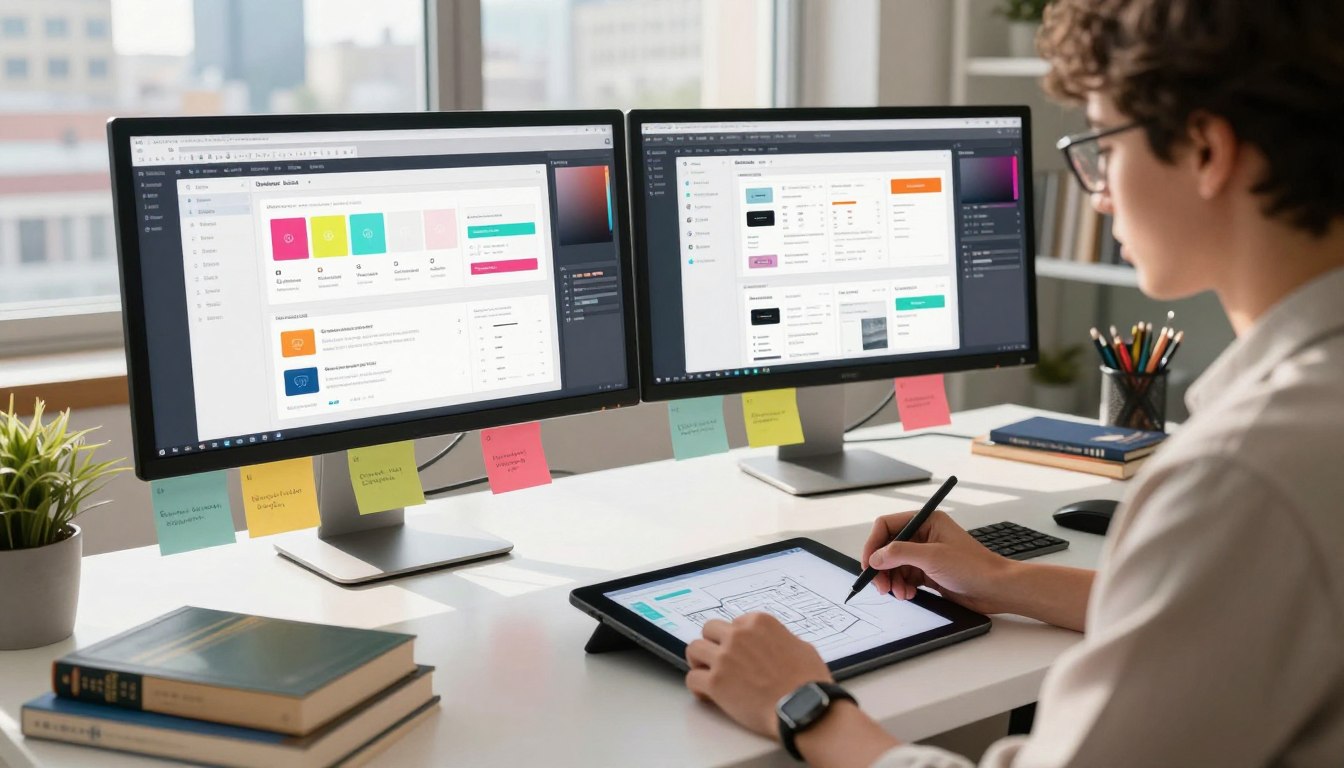
Ever wondered why some apps are easy to use while others are hard? It’s because of creative pros who connect human needs with digital tools. Knowing what is a UI/UX designer is key to understanding today’s product making.
These experts guide an interface from start to finish. They make sure every detail, like buttons and colors, has a meaningful purpose. They turn complex systems into easy-to-use tools that people love.
Their job is more than just making things look good. They do lots of research, create designs, and test them to make tech fit into your life smoothly. When you use a platform that feels natural, it’s thanks to their careful planning and strategic problem-solving.
Key Takeaways
- UI/UX pros aim to make digital interactions easy and meaningful.
- Their work covers the whole product life cycle, from start to upkeep.
- Understanding users is the most important skill for them.
- Good design mixes looks with practical, problem-solving features.
- These experts are crucial for creating products that keep users coming back.
Defining What is a UI/UX Designer
The role of a user experience designer is to blend the look of a product with its practical use. You might ask, what does a UI/UX designer do every day? It’s about finding the perfect mix between how a product looks and how it works.
The Intersection of Aesthetics and Functionality
Designers walk a fine line between creativity and functionality. A product’s beauty grabs attention, but its logic keeps users coming back. A good product makes sure every detail, from buttons to colors, has a purpose.
This blend is where the magic is. Designers focus on the who, why, what, and how of using a product. They use key principles to keep it balanced:
- Visual Hierarchy: Leading the user’s eye to key actions.
- Consistency: Using the same patterns to make it easy for new users.
- Accessibility: Making sure the design works for everyone, no matter their abilities.
Why Businesses Rely on UI/UX Expertise
Today, a great product is a big advantage for companies. Hiring a skilled user experience designer is a smart investment. These experts connect what a business needs with what users want.
Businesses need this expertise for many reasons:
- Reduced Development Costs: Finding issues early saves money later.
- Increased Conversion Rates: A smooth path to buy boosts sales.
- Brand Loyalty: Happy users come back, which helps the brand.
Understanding what is a ui/ux designer means seeing the importance of empathy in tech. By focusing on the user, businesses make products that are not just useful but also enjoyable.
The Core Differences Between User Interface and User Experience
UI and UX are often confused, but they’re crucial in digital product design. A user interface designer and a UX specialist work together. They make sure a product looks good and works well.
Focusing on the Visual Interface
The visual interface connects you to digital products. A user interface designer works on what you see. This includes colors, fonts, button styles, and spacing.
Their main goal is to make the product look good and match the brand. They pick icons and layouts to make it easy and professional. Every detail is designed to guide you smoothly.
Prioritizing the User Journey and Logic
UI focuses on looks, but UX is about the product’s logic and flow. UX design aims to solve problems and make navigation easy. It plans out your entire experience from start to finish.
UX designers focus on making things easy and efficient. They study your needs to design a product that makes sense. When UI and UX work together, they create a smooth and enjoyable experience for you.
Essential Skills for Modern Designers
To succeed in this field, you need to mix technical skills with understanding people. You must have a strong set of ui/ux designer skills. These skills connect technology with what people need.
Technical Proficiency and Software Mastery
Being good at your job starts with knowing the right software. You must be skilled in tools like Figma, Sketch, or Adobe XD. These are key for making designs and interactive prototypes.
You also need to know about design systems and how to make things work on different devices. Learning these technical parts helps keep your designs consistent everywhere.
Soft Skills That Drive Collaboration
While knowing software is important, working well with others is even more crucial. The best designers see teamwork as a key skill, not just something extra.
- Active listening during team meetings.
- Adaptability when project requirements shift.
- Constructive feedback loops with cross-functional teams.
Empathy as a Design Tool
Empathy is a top skill for designers. It lets you see things from the user’s point of view. This way, you can really get what they need and want.
By observing closely, you can find problems that data might not show. This human-centric approach makes sure your designs are always for the user’s benefit.
Effective Communication with Stakeholders
You’ll often have to explain your design choices to people who don’t know design. Being clear helps you show why your decisions are right. It also makes sure the project meets business goals.
When you explain your ideas well, you gain trust. This reduces the need for changes. Having these ui/ux designer skills lets you lead projects with confidence and direction.
The Standard UI/UX Design Process
Transforming complex user needs into digital experiences is possible with a structured ui/ux design process. This method ensures decisions are based on evidence, not guesses. It helps you create products that meet your audience’s needs.

Discovery and User Research
Understanding users is key to a successful project. In the discovery phase, you collect data to define the main problem. This includes interviews, market analysis, and user personas.
“Design is not just what it looks like and feels like. Design is how it works.”
Knowing your users’ pain points guides your project. This research phase avoids costly mistakes. Clear insights are crucial for good design.
Wireframing and Prototyping
With the problem defined, you start creating wireframes. These low-fidelity sketches outline the interface’s structure and layout. They focus on functionality, not visuals.
Then, you build interactive prototypes. These models test the user experience. A consistent ui/ux design process helps spot navigation issues early.
Usability Testing and Iteration
Finally, test your prototype with real users. Look for where users find it hard to use. This feedback is key for improving your design.
- Observe: Watch users without guiding them.
- Analyze: Find patterns and confusion points.
- Iterate: Update designs based on feedback.
The ui/ux design process is ongoing. Even after launch, keep testing and refining. This ensures your product stays relevant and effective.
Key Responsibilities in a Professional Setting
Every successful digital product relies on the diverse ui/ux designer responsibilities performed behind the scenes. The visual output is what users see, but the path to that result involves empathy, logic, and technical precision. The daily workflow is rarely static, as it shifts to meet the evolving needs of both the business and the end user.
Conducting User Interviews and Surveys
Before a single pixel is placed on a canvas, you must understand the people you are designing for. Gathering qualitative and quantitative data is a foundational step in the ui/ux designer job description. By conducting one-on-one interviews, you uncover the pain points and motivations that drive user behavior.
Surveys allow you to scale these insights across a larger audience. This data-driven approach ensures that your design decisions are rooted in reality rather than personal preference. When you listen to your users, you build products that truly solve their problems.
Creating Design Systems and Style Guides
Maintaining visual harmony across a complex application is a significant challenge. To solve this, you will develop comprehensive design systems and style guides. These resources act as a single source of truth for your team, ensuring that buttons, typography, and color palettes remain consistent throughout the entire product.
A well-structured system saves time and reduces friction during the design process. It allows you to focus on solving new problems instead of recreating basic elements. This level of organization is a hallmark of a professional user interface designer.
Collaborating with Developers for Implementation
Your work does not end when the design is finished. You must work closely with developers to ensure your vision is translated into functional code. This collaboration often involves handing off assets, explaining interaction logic, and troubleshooting technical constraints.
Clear communication during this phase prevents design debt and ensures the final product matches your high standards. By bridging the gap between design and engineering, you guarantee a seamless experience for the end user.
| Responsibility | Primary Goal | Key Outcome |
|---|---|---|
| User Research | Identify pain points | Informed design strategy |
| Design Systems | Ensure consistency | Scalable UI components |
| Developer Handoff | Technical accuracy | Functional digital product |
Tools of the Trade
Today’s design work uses a mix of apps that connect ideas to real things. Learning these digital tools helps you streamline your creative process. This way, your work looks great and meets high standards.
A good set of tools lets you quickly move from rough sketches to finished designs. This makes your work faster and more precise.
Industry-Standard Design Software
Strong vector-based design software is key to your work. Figma is a top choice because it lets you edit live and work from the cloud. You might also use Adobe XD or Sketch for detailed designs and complex systems.
These tools help you build designs that work well on all screen sizes. Keeping your designs consistent is crucial for a professional look.
Prototyping and Collaboration Platforms
When your designs are static, it’s time to make them interactive. Framer or InVision let you create prototypes. This way, you can show your work to others before coding starts. These tools are invaluable for getting feedback and spotting usability problems early.
Working in a team? Tools like Zeplin help share your designs with developers. They turn your designs into technical specs, making it easier for developers to follow your vision.
Analytics Tools for Data-Driven Decisions
Design is about solving problems, not just looking good. Using analytics tools lets you check your design choices with real data. Tools like Google Analytics, Hotjar, or Mixpanel give you insights into how users use your site.
- Heatmaps: Show where users click and scroll to find what’s engaging.
- Conversion Tracking: See how well your design leads users to their goals.
- User Session Recordings: Watch how people use your site to find issues.
By looking at this data, you can make informed iterations to improve your design. Using data makes your design choices based on facts, not just guesses. This leads to better, more user-friendly digital products.
How UI/UX Designers Influence User Behavior
A successful digital product understands human behavior well. When you use an app or website, you’re part of a designed experience. It’s meant to guide your actions. Knowing what ui/ux designer responsibilities are is key to creating products that connect with users deeply.
Applying Psychology to Digital Interfaces
Designers use cognitive psychology to make interfaces easy to use. They apply Hick’s Law, which says more choices mean longer decisions. This makes navigation simpler, reducing mental effort and keeping users focused.
“Design is not just what it looks like and feels like. Design is how it works.”
Good interfaces meet user needs before they even think of them. By using familiar patterns, you make new visitors feel at home. This makes it easier for them to start using your product.
Reducing Friction in Conversion Funnels
Friction is anything that stops a user from doing what they want. Long forms or confusing checkout processes are common obstacles. A big part of ui/ux designer responsibilities is finding these problems through testing and data.
To improve the user journey, remove unnecessary steps and give clear feedback. Here’s how design changes can affect user behavior:
| Design Element | Common Friction Point | Optimized Solution |
|---|---|---|
| Registration | Too many required fields | Social login or guest checkout |
| Navigation | Hidden menu items | Clear, visible call-to-action buttons |
| Loading Speed | Slow page transitions | Optimized assets and lazy loading |
Building Trust Through Consistent Design
Consistency builds trust. When an interface looks the same everywhere, users feel secure. This is a key part of ui/ux designer responsibilities.
When design is consistent, users learn faster and achieve more. Consistency makes your product look professional. This keeps users coming back and loyal to your brand.
Career Paths and Salary Expectations in the United States
The design field in the United States is changing fast, with many opportunities for newcomers. Knowing your career path is key for success. A typical ui/ux designer job description requires creativity and technical skills.

Entry-Level Roles and Growth Opportunities
Beginners usually start as junior designers or interns. They learn from experienced designers. These roles help build a portfolio and learn design software.
As you get more experience, you can move up to mid-level positions. These offer more freedom and complex projects. Moving up to senior roles and leadership positions is common.
Continuous learning is crucial for career growth. Improving your skills makes you more valuable to employers.
Average Compensation Trends Across the US
The ui/ux designer salary changes based on location, experience, and company size. Cities like San Francisco and New York pay more to attract talent. Knowing the local market rate is important.
Companies also offer benefits like stock options and health insurance. These benefits add to your total pay. Keeping up with trends helps in salary negotiations.
Specializations Within the Field
As you grow, you might focus on a specific area. A user experience designer might focus on research or visual design. Specializing can lead to higher pay and career growth.
Other roles include product designer, interaction designer, and accessibility specialist. Each role aims to enhance user experience. A skilled user experience designer is vital in today’s business world.
Challenges Faced by UI/UX Professionals
Even the most seasoned experts face big challenges in managing complex digital projects. The roles of ui/ux designers often mean you have to connect creative ideas with strict technical rules. Overcoming these hurdles is key to growing professionally.
Balancing Business Goals with User Needs
Aligning company goals with user needs is a big challenge. Companies often focus on quick sales, but you need to think about long-term user happiness. Finding a balance is crucial for lasting product success.
“Design is not just what it looks like and feels like. Design is how it works.”
To tackle this, try these strategies:
- Use data to back up your design choices to stakeholders.
- Focus on features that add the most value for both users and the company.
- Be open about how design choices affect the company’s finances.
Adapting to Rapidly Changing Technology
The digital world changes fast, so you need to keep learning. As the roles of ui/ux designers grow, you must keep up with new tech like generative AI. Continuous learning is now a must, not just a nice-to-have.
Set aside time each week to learn new tools and design methods. Staying curious keeps your skills sharp as platforms evolve. This proactive mindset lets you lead projects confidently, not just react to changes.
Managing Stakeholder Feedback and Design Debt
Dealing with different opinions from stakeholders can be tough. You need to explain your design choices clearly to keep everyone on the same page. Diplomacy is as important as your technical skills.
Design debt, or quick fixes that pile up, is another challenge. To tackle it, you should:
- Keep records of design decisions to avoid confusion later.
- Plan regular updates to clean up old interface parts.
- Push for time to improve components that don’t serve the user well anymore.
The Future of UI/UX Design
You’re at the start of a new era in design. It’s moving beyond screens and old layouts. New tech is changing how we build products fast. It’s time to use these changes to connect with users better.
The Impact of Artificial Intelligence on Design
Artificial intelligence is changing how we work. It handles boring tasks and finds hidden data patterns. By using AI in your ui/ux design process, you can focus on big ideas and solving problems creatively. AI tools help guess what users need before they ask.
AI lets you make many layout versions quickly. This speeds up your work. Now, being efficient means using data to make choices that users love.
Designing for Voice and Augmented Reality
The future of interaction is voice and augmented reality. You need to think about how your ui/ux design process works with these new tools. These interfaces need you to think about space and how users talk, not just looks.
Designing for these new spaces means focusing on context and what users want. When using AR, your design should guide users smoothly and naturally.
The Shift Toward Inclusive and Accessible Design
Accessibility is key for modern digital products. You must make sure your ui/ux design process works for everyone from the start. Designing inclusively means better experiences for all, not just some.
Universal design principles are now the norm. Designing for everyone shows empathy and builds trust. This will make you a top designer in the future.
Conclusion
The world of digital product creation needs experts who connect human needs with tech limits. You now know how to create experiences that touch users on different platforms.
Improving your ui/ux designer skills means always learning and staying curious. Focus on solving big problems with empathy. This keeps your work fresh as tech changes.
Knowing the current ui/ux designer salary helps set career goals in the U.S. Companies like Google and Adobe look for designers who know tech and users well.
Your career path is about always improving and making a difference. You can change how people use technology every day. Use these tips in your projects to impress employers.
Start by getting better and working with different teams. Your fresh ideas will lead to new digital innovations. Start your successful career journey now.