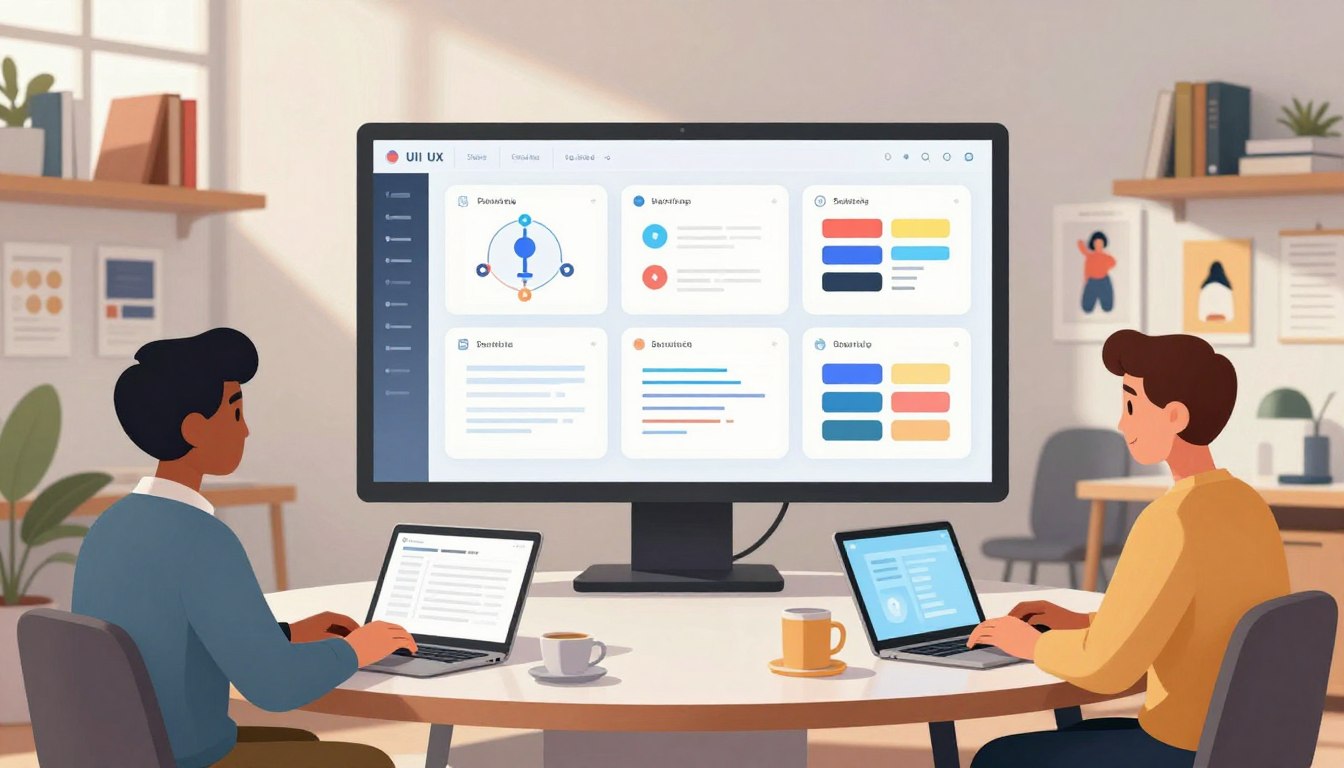
The digital world is changing fast in 2026. Many are looking for beginner-friendly ways to get into tech and find good jobs.
You can learn top-notch skills online from anywhere. But, don’t just pick a course by its name. Look for ones with great mentorship, help in building your portfolio, and career support.
The Google certificate offers over 200 hours of learning and three projects. This hands-on approach helps you get the skills to stand out in the job market.
This guide compares the best UI UX design courses. It helps you choose wisely for your career. By looking at the curriculum and certification, you can move forward with confidence.
Key Takeaways
- Focus on programs that offer real-world portfolio projects.
- Prioritize mentorship and career support over brand recognition.
- Look for certifications that provide at least 200 hours of instruction.
- Ensure the curriculum is beginner-friendly and flexible for your schedule.
- Evaluate the long-term value of the training for your specific career goals.
What You Can Learn From UI/UX Design Courses
The best training programs teach user experience and user interface design together. They show you how to mix strategy with design to make digital products smooth. This approach is key to creating great digital experiences.
Core User Experience Skills
Understanding human behavior is at the core of any good course. You’ll learn to do deep user research and create detailed personas. These steps help make sure your design choices are based on facts, not guesses.
You’ll also learn about information architecture to make content easy to find. Accessibility is another key area, teaching you to design for everyone. By following best practices in these areas, you lay a strong foundation for any project.
User Interface and Visual Design Foundations
Once the strategy is set, you dive into the visual side of the product. You’ll study typography, color theory, and layout to make designs both beautiful and useful. These skills help you create interactive elements that guide users smoothly.
Modern courses also focus on design systems. By using reusable components, you learn to keep designs consistent across big applications. This is crucial for working well in teams.
Research, Prototyping, and Usability Testing
Practical skills are where your abilities shine. Programs like the Google UX Design Professional Certificate follow a real-world sequence. You start with empathy and problem definition, then move to ideation and wireframing.
Next, you’ll create low-fidelity wireframes and then high-fidelity prototypes with tools like Figma. Finally, you’ll do usability testing to find and fix issues. This iterative process is what makes a designer professional, delivering top-notch, interactive solutions.
How the Best Courses Were Evaluated
We looked into how design programs prepare you for the real world. We compared practical skills with the program’s reputation. This way, you get the best training available.
Curriculum Depth and Relevance to 2026 Roles
A good curriculum keeps up with tech changes. We chose programs that teach current standards, like AI and accessibility. This makes sure your skills are up-to-date for 2026.
Hands-On Projects and Portfolio Development
Theory is not enough to get a job. We searched for hands-on projects that match real-world tasks. The Interaction Design Foundation is great because it offers tasks led by experts.
“Design is not just what it looks like and feels like. Design is how it works.”
Instructor Support, Flexibility, and Learning Format
Your learning style is key to success. We compared different learning models, like live classes and self-paced options. Personalized feedback from mentors is the best way to improve.
Certification Value, Career Services, and Student Outcomes
A certification shows your hard work, but it’s not a job guarantee. We looked at programs’ career support, like resume help and interview prep.
Google’s programs have led to good jobs for graduates. But, your hands-on portfolio is what impresses employers. A certification is helpful, but solving problems is what gets you hired.
- Curriculum: Must cover modern tools and 2026 industry trends.
- Projects: Require hands-on application to build a professional portfolio.
- Support: Mentorship and peer feedback are essential for long-term success.
- Outcome: A certification is a tool, not a substitute for real experience.
Best Ui ux design courses for Career Growth in 2026
Starting your journey in digital product creation means choosing a top-notch course. With many ui ux design courses out there, picking the right one depends on your skills and goals. Here are the best programs for aspiring designers aiming to stand out.
Google UX Design Professional Certificate on Coursera
Overview
This course is perfect for beginners. It teaches the basics of user experience without needing prior experience.
Pros
- It’s easy to access and you can learn at your own pace.
- You get a credential from Google, a tech giant.
- The cost is affordable with a subscription model.
Cons
- You won’t get as much feedback from instructors.
- It takes a lot of self-discipline to finish.
Features
You’ll do hands-on tasks that mimic real-world scenarios. The course covers everything from empathy mapping to creating final prototypes.
CalArts UI/UX Design Specialization on Coursera
Overview
This specialization from California Institute of the Arts focuses on design’s visual and conceptual sides. It’s great for those who want a solid design theory foundation.
Pros
- It emphasizes visual communication.
- It comes from a top art school, offering academic rigor.
- It covers user interface design thoroughly.
Cons
- It doesn’t focus as much on job hunting strategies.
- It might feel too theoretical for some.
Features
The program includes several courses on visual design principles. You’ll learn to create effective layouts and design systems.
CareerFoundry UX Design Program
Overview
This mentor-led program helps you switch careers. It offers flexible learning with professional guidance.
Pros
- You get dedicated 1-on-1 mentorship.
- It offers strong career coaching and job placement support.
- The focus is on building a portfolio.
Cons
- It’s more expensive than self-paced options.
- It requires a big time commitment.
Features
You’ll work on hands-on projects reviewed by experts. The program makes sure your portfolio is ready for employers.
Springboard UX Design Career Track
Overview
Springboard’s career track includes a job guarantee for eligible students. It’s designed for those serious about getting a job in the field.
Pros
- It offers a job guarantee policy.
- It includes extensive 1-on-1 mentorship.
- You get real-world project experience.
Cons
- The application process is rigorous.
- It’s demanding for working professionals.
Features
The curriculum is project-based, giving you hands-on experience with industry tools. You’ll also get career coaching to improve your resume and interview skills.
General Assembly User Experience Design Short Course
Overview
This is an intensive, short course for learning the basics quickly. It’s ideal for professionals who need to upskill fast.
Pros
- It’s fast-paced and focused.
- It’s great for networking with peers.
- Expert instructors lead the course.
Cons
- It has very little time for deep exploration.
- It’s less comprehensive than long-term bootcamps.
Features
The course focuses on practical application and rapid prototyping. You’ll learn to improve your user interface designs based on immediate feedback.
Designlab UX Academy
Overview
Designlab is known for its hands-on approach, pairing students with mentors. It’s considered one of the best ui ux design courses for career changers.
Pros
- It offers excellent mentorship.
- It focuses on building a high-quality portfolio.
- It’s a community-driven learning environment.
Cons
- It requires a big financial investment.
- It’s intense and might be hard for beginners.
Features
The program dives deep into user interface design and research methods. You’ll work on complex projects that show your problem-solving skills.
Choosing the Right Course Format for Your Schedule
Starting your UI/UX design journey means picking a learning style that fits your life. Everyone has different schedules, so finding the right fit is key to your success. Whether you prefer to learn alone or with guidance, your choice affects how fast you learn.
Self-Paced Online Courses for Flexible Learning
Busy lives? Self-paced programs let you learn whenever you can. Sites like the Interaction Design Foundation offer online materials for your own pace. Uxcel even has interactive five-minute lessons for quick learning during short breaks.
Live Cohort Courses for Structure and Accountability
Do you work better with a schedule and peers? Live cohort courses, like those from the Nielsen Norman Group, offer a classroom-like setting. They’re perfect if you need deadlines to stay focused.
Mentor-Led Programs for Personalized Feedback
Want to grow faster? Mentor-led programs, like Designlab, offer one-on-one feedback. You get custom advice from a pro, helping you improve your portfolio quickly.
| Format Type | Best For | Primary Benefit |
|---|---|---|
| Self-Paced | Busy professionals | Maximum flexibility |
| Live Cohort | Structured learners | Peer accountability |
| Mentor-Led | Career changers | Personalized feedback |
| Interactive | Quick skill building | Engaging content |
Beginner-Friendly Paths Into UI/UX Design
You don’t need art skills to succeed in digital design. Many people switch to creative roles by learning step by step. They focus on the basics, not just software.
What to Choose If You Have No Design Experience
Start with beginner-friendly programs that have a clear plan. Google on Coursera, the Interaction Design Foundation (IxDF), and Uxcel are great for beginners.
These places make learning easier by breaking it down. They focus on teaching you the basics first. This way, you learn without getting lost in technical terms.
Foundational Tools and Concepts to Learn First
Learn the philosophy behind design before diving into software. Start with user-centered design, accessibility, and research basics.
After that, learn about information architecture, visual hierarchy, and wireframing. Understanding these first helps make your designs both good-looking and user-friendly.
How Career Changers Can Build Confidence Quickly
Starting anew can be scary, but you can gain confidence quickly. Programs like Designlab let you work on real projects. This shows your skills as you go.
Consistency is key when learning. Do small, beginner-friendly tasks often. This builds a portfolio that shows your growing skills in user experience design. Remember, every expert started as a beginner, and your hard work will pay off.
Certification and Credential Options That Support Your Career
Understanding the impact of different credentials on your career is key. Your portfolio shows your talent, but a certification shows your dedication and structured learning.
When a Professional Certificate Is Worthwhile
A professional certification is great if you’re changing careers. It proves you have the basics needed for your new field.
Without a design degree, these programs are a must. They give you a solid foundation and boost your confidence for job applications.
How Employers Evaluate Course Credentials
Hiring managers look at more than just your certification. They consider your case studies, problem-solving, and communication skills too.
They value your ability to use design thinking and tools. Showing how you solve real problems is more important than just having a certificate.
Using Certifications Alongside Projects and Experience
See your training as a starting point for a strong portfolio. Certificates like Google UX Design Professional and IxDF’s certification are great for your work.
But, don’t forget to add your own projects. This mix of a recognized credential and case studies shows you know your stuff. It makes you stand out in 2026.
Hands-On Projects That Make Your Portfolio Competitive
Turning school projects into professional case studies can make you stand out. Hiring managers want to see your problem-solving skills, not just pretty pictures. By sharing your design journey, you show you can tackle real-world challenges.
Creating a Complete UX Case Study
A good case study tells a story of solving a user problem. Start by defining the challenge and your research. Then, explain the key decisions you made.
Follow best practices by documenting your design process. Show how your ideas changed based on data.
Demonstrating User Research and Usability Testing
Your portfolio should show the reasoning behind your design. Include user interviews, affinity maps, and usability study results. This proves you understand the user.
Highlighting how you found and solved problems shows a user-centered mindset. Employers value this a lot.
Presenting Wireframes, Prototypes, and Visual Systems
Visuals are important, but they need technical backing. Use interactive Figma prototypes for a hands-on experience. Include wireframes to show your architecture skills.
Explain how your visual systems keep the product consistent and accessible.
Adapting Student Projects for Real-World Applications
Whether it’s a Google certificate or a Designlab capstone, aim for authenticity. Move beyond classroom work by applying your skills to real projects. This hands-on experience shows you can work under real-world constraints.
| Project Type | Primary Focus | Portfolio Value |
|---|---|---|
| Course Assignment | Learning specific tools | Low (needs refinement) |
| Interactive Capstone | End-to-end process | High (shows depth) |
| Real Client Work | Business constraints | Highest (proves readiness) |
Career Outcomes After Completing UI/UX Training
Once you learn the basics, you’ll find many exciting jobs out there. Your skill in mixing user experience research with user interface design is key. Employers want people who care about users and have great taste.
Entry-Level UX Designer and UI Designer Roles
Most newbies start in junior roles, helping bigger design teams. You’ll do wireframing, usability tests, and improve design systems. Being consistent and eager to learn is crucial.
Senior designers will guide you, making sure designs fit the brand. This is a chance to grow and learn how to explain your designs well.

Product Designer and Interaction Designer Opportunities
With more experience, you might move into product strategy roles. Product designers manage a feature’s whole life, balancing business needs with user experience. Interaction designers focus on how users navigate digital products.
“Design is not just what it looks like and feels like. Design is how it works.”
These advanced roles need you to know a lot about design and prototyping. You’ll create smooth, problem-solving experiences for users.
Freelance, Contract, and Internal Design Career Paths
The design world is flexible, letting you pick your path. Some like working in a team, while others enjoy freelancing or contract work.
| Career Path | Primary Focus | Work Environment |
|---|---|---|
| Internal Designer | Long-term product growth | Stable, collaborative team |
| Freelance Designer | Diverse client projects | Independent, flexible |
| Contract Designer | Specific project sprints | Project-based, fast-paced |
Success in any path depends on a strong portfolio. Keep improving your user experience skills and stay current with user interface trends for lasting success.
Course Costs, Time Commitments, and Return on Investment
Understanding the costs and time needed for professional design training is key. Choosing an online program means more than just paying for content. It’s an investment in your future career.
Comparing Subscription, Tuition, and Payment Models
There are many pricing options to fit different budgets. Subscription models let you access content for a monthly fee. This is great for those who learn at their own pace without a big upfront cost.
Tuition-based programs might cost more upfront but often include mentorship and career help. Many offer flexible payment plans or income share agreements to ease the financial load. Always try free trials or introductory tiers before committing to a full plan.
Estimating the Weekly Time Required to Finish
Success depends on balancing studies with life. Courses like the Google UX Design Professional Certificate aim for six months with 10 hours a week.
Be honest about your schedule before starting. If you work full-time, you might need more time to avoid burnout. Smaller, consistent study sessions work better than long weekend cram sessions.
Evaluating Career Support Against Total Cost
Don’t just look at the price. Consider what you get for your money. A more expensive program might offer valuable hands-on projects, mentor feedback, and career coaching.
Creating a strong portfolio is crucial for getting hired. Look for programs that focus on real-world application. The real value of your education is in getting a job, not just the certificate.
| Model Type | Cost Structure | Best For | Key Benefit |
|---|---|---|---|
| Subscription | Monthly Fee | Budget-conscious learners | Flexibility |
| Tuition-Based | Upfront or Installments | Career changers | Hands-on mentorship |
| Free Tiers | No Cost | Skill exploration | Low risk |
How to Select the Best Course for Your Goals
Finding the right design education can be tough without a plan. Treat your search like a project by using a checklist. This way, you can find the best ui ux design courses for your needs and goals.
Match the Curriculum to Your Desired Design Role
First, decide if you want to be a generalist or a specialist. Some courses focus on visual design, while others emphasize user research and strategy.
Look for a course that matches the skills you need for your job. If you’re new, make sure the course is beginner-friendly. It should cover the basics before moving to advanced skills.
Check the Tools, Projects, and Feedback Included
Designers need to know industry-standard tools like Figma. Make sure your course includes projects that let you practice with these tools.
Good programs use AI and offer personalized mentor feedback. Check if the course follows best practices in product design. This will help your portfolio impress employers.
Verify Schedule, Support, Refund, and Financing Policies
Look at the details about flexibility and money before you sign up. Many places offer free trials, like Coursera or Uxcel, so you can try before you buy.
When looking at options, consider these:
- Refund policies: Can you get your money back if you’re not happy?
- Financing: Are there payment plans or income share agreements?
- Career support: Do they help with resumes, interviews, or finding jobs?
Choose a Learning Path You Can Complete Consistently
The best ui ux design courses are the ones you finish. Be honest about how much time you have each week. Choose a course that fits your schedule.
If staying motivated is hard, consider a mentor-led program. Designlab’s staged pathway can help. Remember, consistent, small efforts are better than intense, sporadic study. Pick a path that works with your life for lasting success.
Conclusion
Choosing the right path for your career means balancing what you can do now with what you want to achieve later. The best UI UX design courses match your schedule, budget, and how you like to learn. Look for programs that clearly show you how to reach your career goals.
A recognized certification shows hiring managers you’ve finished a structured course. It proves your dedication to the field. Remember, your portfolio is key in finding a job. Employers want to see your research skills, wireframe building, and prototype improvement.
Practical projects show your problem-solving skills more than any certificate. Focus on creating a portfolio that showcases your design process. This shows you’re ready for real-world challenges.
Begin by comparing the details of top programs. Pick a path that fits your life and stick to it. Your hard work in learning will help you succeed in the competitive design world.